STEP 1
Please note that TREBLAB XR100 earphones are designed for sport mainly. This means, that while the headset supports phone calls management, this is not the main function of the product.
We recommend using them for listening to music and short calls "on the go". However, if you think your microphone doesn`t work as should, please follow the troubleshooting steps below:
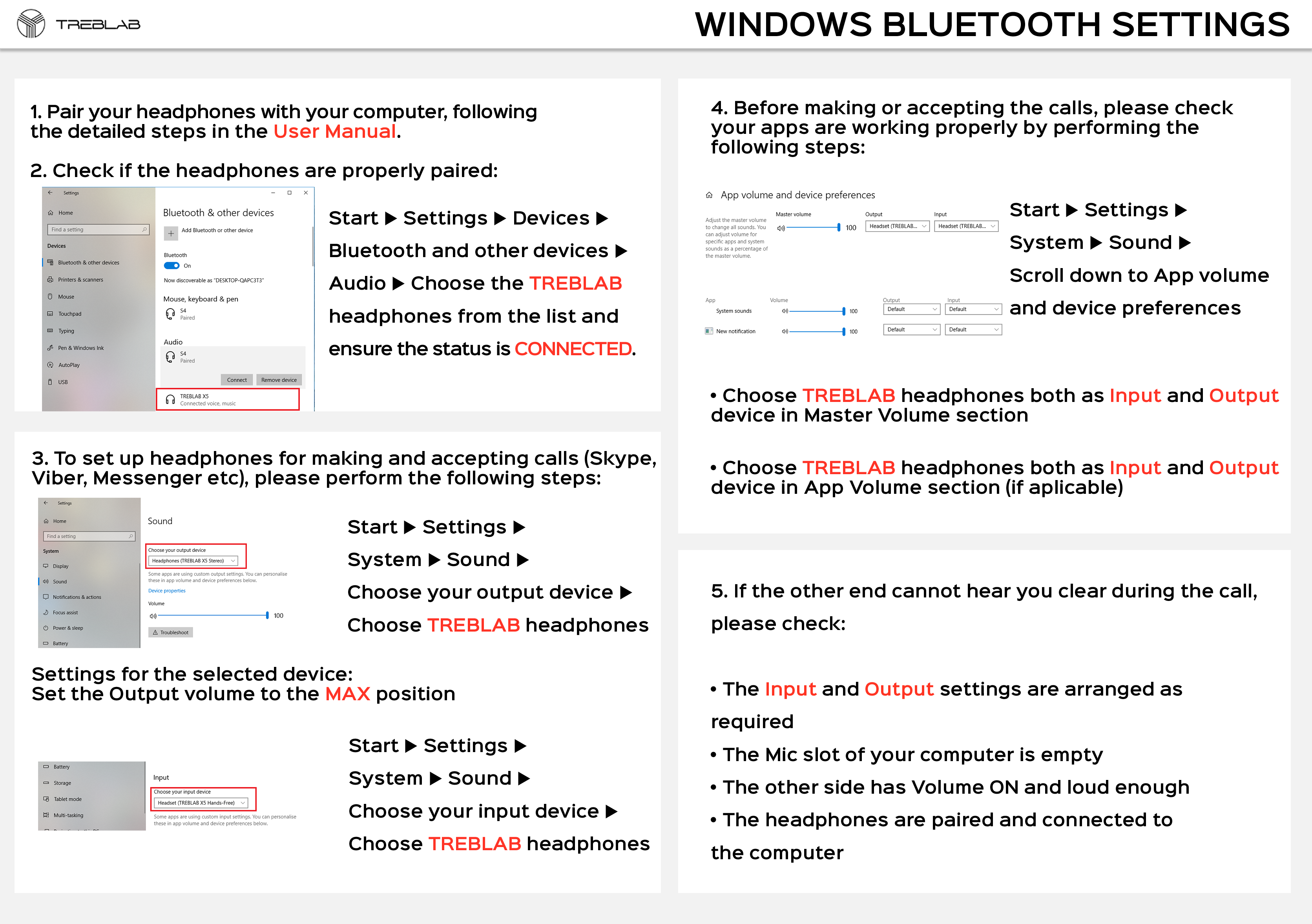
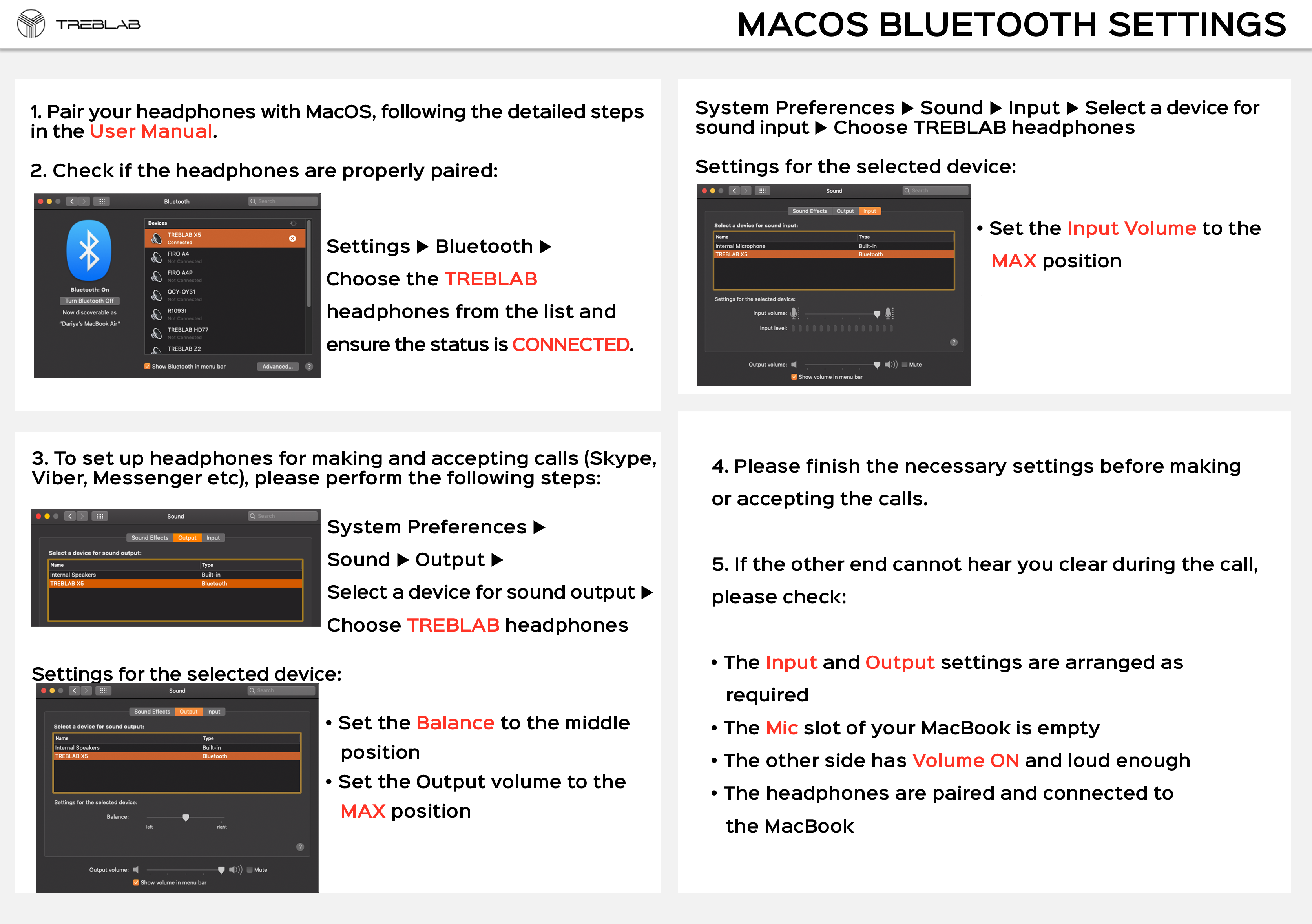
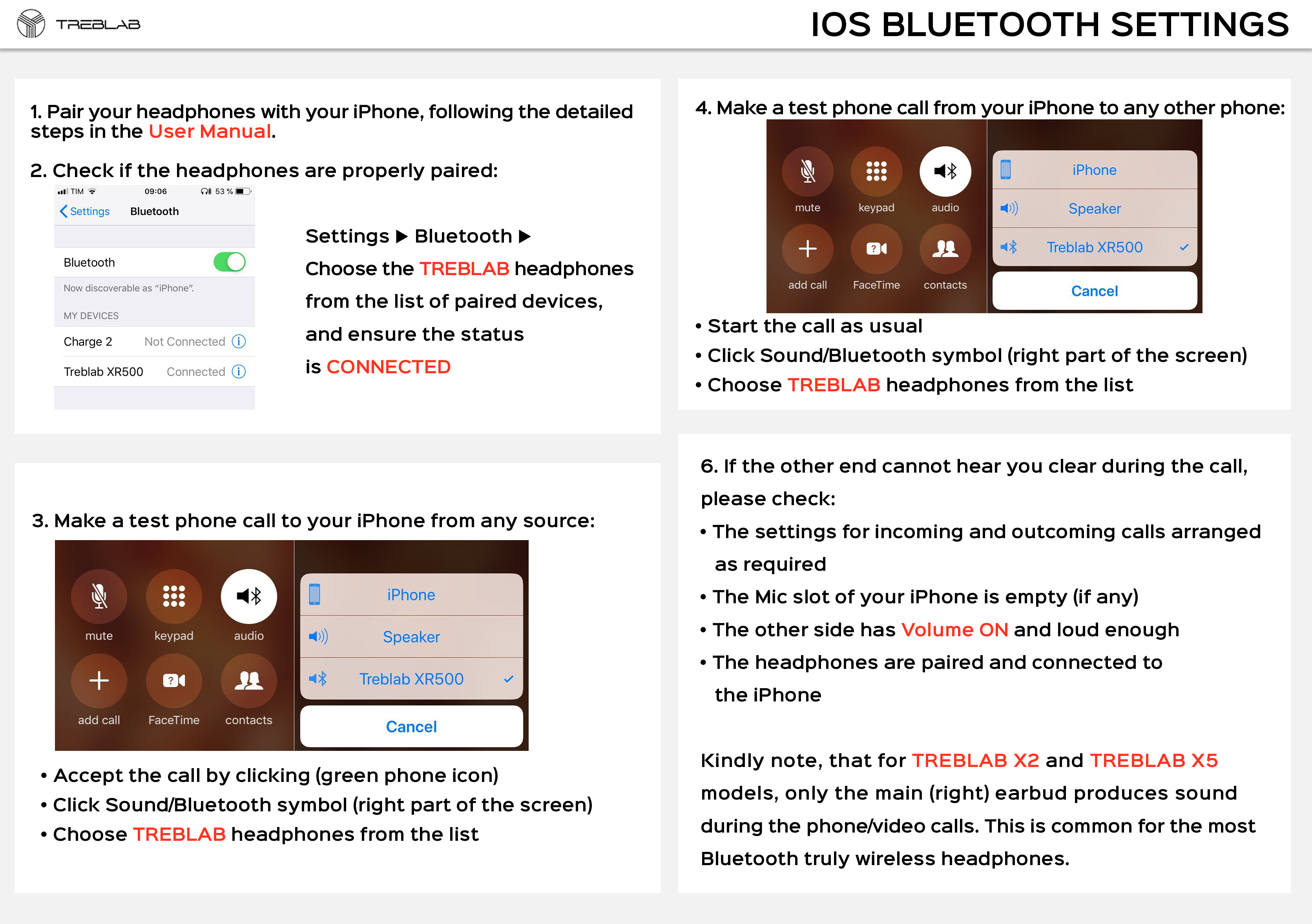
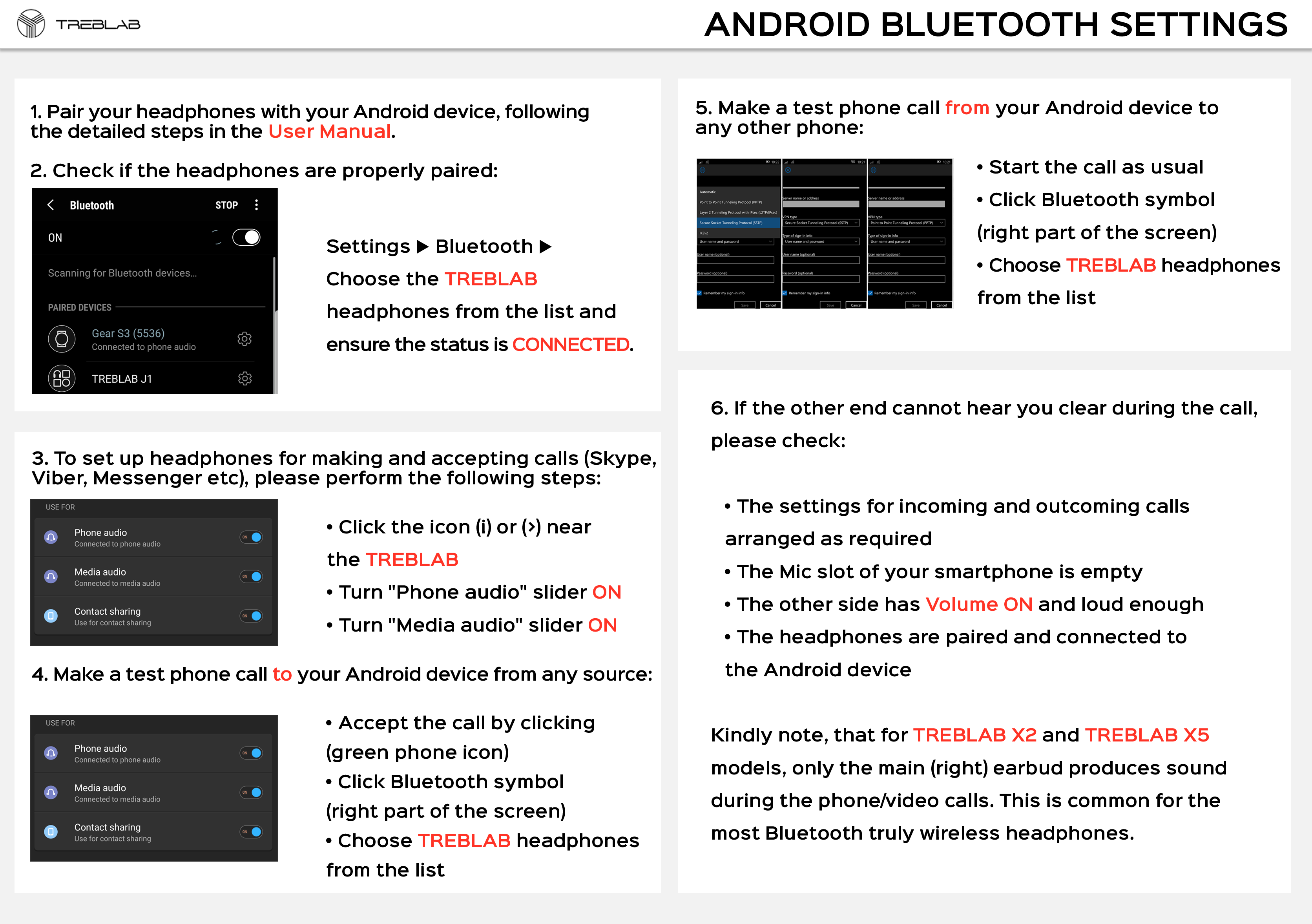
1) Check the settings for incoming and outcoming calls on your device are arranged as required (kindly refer to the pictures below: these are mic setting instructions for various operating systems: Windows, MacOS, iOS, Android).
2) Make sure that Mic slot of your device is empty.
3) Ensure the other person on the call has Volume ON and loud enough.
4) Make sure the microphone (which is located on the earbud) is not covered/blocked by anything.
5) Clean the microphone with a small soft brush or with a slightly damp washcloth. Don’t let any liquid get inside the mic.
If the issue persists, please:
1) Check the mic performance having connected XR100 to another device.
2) Check the mic trying to call to different people.
To view a picture in its full size, please do right-click and open it in the new tab.
STEP 2
Kindly reset your pair by the following steps:
1. Connect the earphones to a power source.
2. While charging - press and hold the POWER button for 5-7 seconds.
3. Unplug the headset from the power source and pair it to your source device
Once the reset is done, please:
- check the mic performance having connected XR100 earphones to another device
- check it trying to call different people.
STEP 3
If the issue still persists and you want our further assistance, please click Contact Us. We will help!